Let calls become contacts
Save eligible new numbers from incoming, outgoing and missed calls, according to your settings.
CallSave · Auto Save Contacts
Turn new numbers into saved contacts. Capture the details, keep your callbacks in view, and get on with your day.
3-day free trial. No payment method needed.
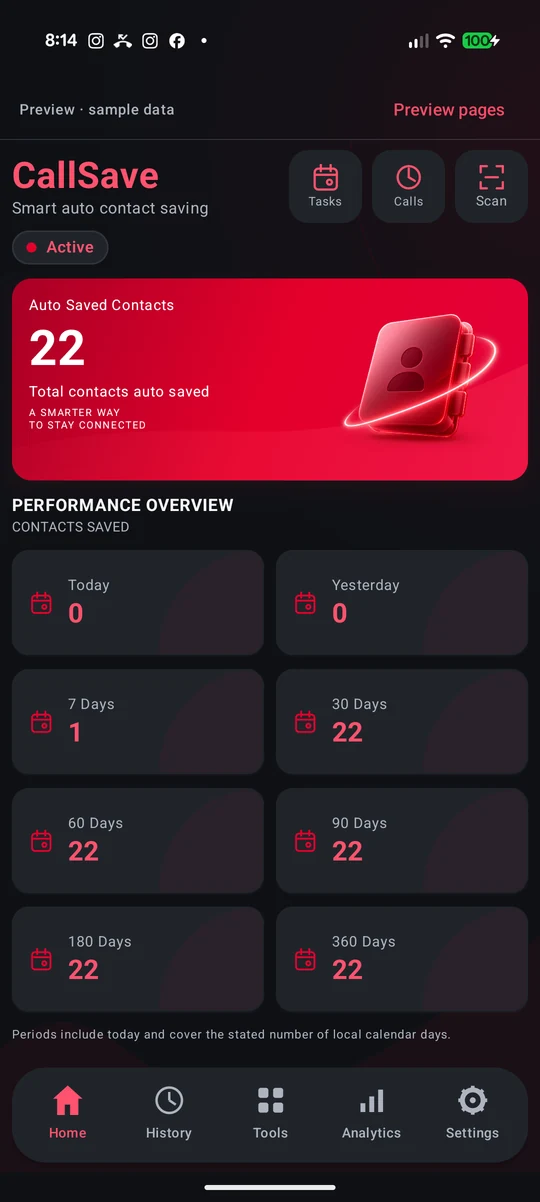
A closer look
From a new number to a useful contact.
See how the app brings it together.
Actual CallSave app preview screens with fictional sample data. Features and appearance vary by app version. Select a screen to view it in full.
Thoughtfully useful
For the details that are easy to miss,
and the connections worth keeping.
Save eligible new numbers from incoming, outgoing and missed calls, according to your settings.
Capture contact details from visiting cards, posters and screenshots. Check the results before saving.
Use Missed Call Reminders to keep track of numbers you may still need to call back.
Browse successful CallSave saves in History and search for the contact you need.
Review possible duplicates, capture numbers from text, and import or export contacts.
Choose call types, SIM settings and naming prefixes to suit the way you work.
Features require an active trial or Pro plan. Automatic saving depends on your permissions, call-screening role, call/SIM settings and Android device behavior. History shows successful CallSave saves, not your complete call log.
A simple start
A few clear choices, then CallSave is ready to help you stay organized.
Get started on Google PlayGet CallSave from Google Play. Review the Terms and Privacy Policy, then sign in with Google.
Complete the permission and call-screening setup. Choose your SIM rules and the names you want for saved contacts.
Tap Start My 3-Day Free Trial when setup is complete. Eligible new numbers can then be saved according to your settings.
Try it in your everyday
Start with the free trial. Choose Pro when you’re ready.
Start here
72 hours from your explicit start
This is an app-controlled trial, not a Google Play introductory subscription offer.
Keep the connections going
Annual subscription · auto-renewing
The current price and billing terms are shown in the Google Play purchase screen inside CallSave.
When access expires, saving and product actions pause; existing records are not deleted. A subscription renews unless you cancel. Deleting the app or your CallSave account does not cancel Google Play renewal. Read the full terms.
About CallSave
CallSave is an Android app for saving and organizing contact details. It brings automatic contact saving and practical contact tools into one place, with settings that put you in control.

Good to know
No. CallSave saves contact details; it does not record call audio. The optional voice-naming tool is a separate, user-initiated action described in the Privacy Policy.
Only eligible new numbers, according to your chosen call and SIM rules. Required permissions, Android roles and device behavior affect saving. CallSave does not promise universal operation on every phone or while force-stopped.
After 72 hours, saving and product tools pause unless you have active Pro access. Your existing records remain. You can still reach account, renewal, help and privacy controls.
Use Subscriptions in Google Play. Uninstalling CallSave or deleting your account does not cancel subscription renewal. See the Terms for details.
Use Settings → Account / Delete Account in the app, or contact support after uninstalling. Verification is required; requesting deletion is different from its completion. Follow the full account deletion instructions.
Get CallSave: Auto Save Contacts for Android.